
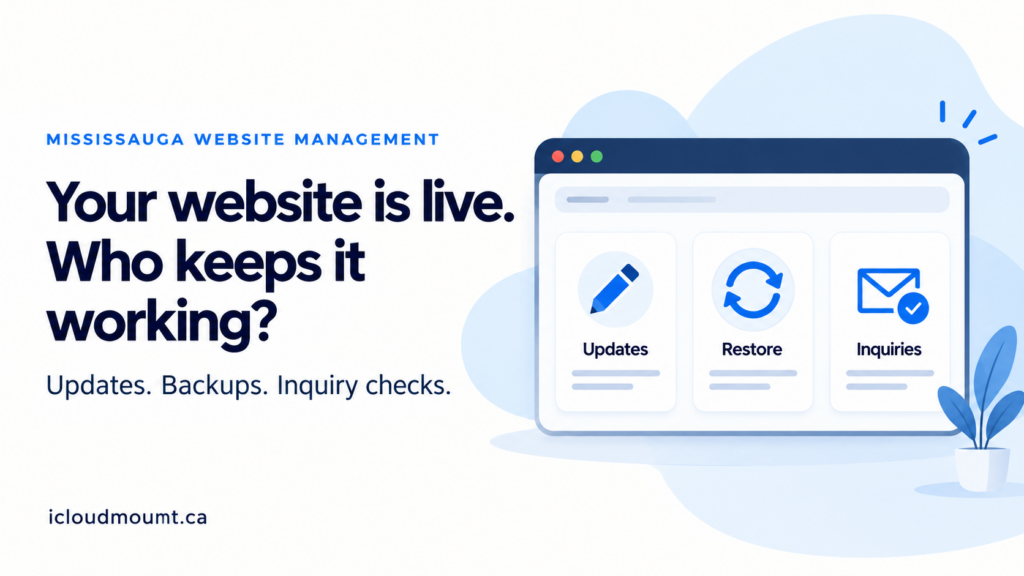
Website management in Mississauga should answer a practical question: who keeps your website accurate, working and under your control after launch? A finished homepage is not a plan for changed opening hours, an expired licence or an inquiry notification that stops arriving.
For a local clinic, trade business or professional firm, those everyday responsibilities affect the path from a visitor reading a service page to someone actually receiving the request. You do not necessarily need a large maintenance package. You need a clear division of work, appropriate access and a way to check that important tasks still work.
If you are reviewing the website behind your local business, start with our Mississauga website design services. This guide helps you identify the ongoing work to discuss—not assume that a redesign, subscription or new tool is automatically the answer.
In this guide
- What website management in Mississauga should cover
- 1. Give routine content changes an owner
- 2. Keep account ownership separate from everyday access
- 3. Separate content editing from technical updates
- 4. Ask how a backup would be restored
- 5. Assign someone to check inquiry delivery
- 6. List renewals and what happens when support ends
- 7. Review the work against your customer journey
- A practical local-business example
- Frequently asked questions
What website management in Mississauga should cover
A useful website management plan connects three things: the business information customers see, the systems behind the site and the person responsible when something changes. It should also distinguish an ongoing task from a new development project.
Use this responsibility checklist when comparing proposals or taking over an existing site. The roles below are examples to agree on, not a description of a particular iCloudMount package.
| Responsibility | Decide who handles it | Evidence to keep |
|---|---|---|
| Hours, services and routine text | Business team or agreed content editor | Editing instructions and approval contact |
| Domain and hosting | Business account owner, with delegated provider access | Account ownership and renewal contacts |
| Platform and extension updates | Named technical maintainer | Scope, change record and escalation route |
| Backups and restoration | Named backup and recovery owner | Backup location and restore procedure |
| Inquiry or booking checks | Business recipient plus technical contact | Test route, expected receipt and follow-up owner |
| Licences and ongoing support | Business budget owner and relevant provider | Renewal list, exclusions and handover terms |
1. Give routine content changes an owner
A holiday opening-hours change should not turn into a guessing exercise. Decide whether your team can update hours, service descriptions, staff details and photographs, or whether those requests go to a provider.
Either arrangement can work. Ask what is included, how requests are submitted and who approves the change. Avoid assuming that “maintenance” includes unlimited copywriting, new pages or changes to your booking rules.
For a service business in Mississauga, accurate service-area information matters too. Keep the areas you actually serve consistent across the relevant pages. Do not add lists of GTA cities merely to make a routine update look like SEO work.
2. Keep account ownership separate from everyday access
Know who controls the domain registration, hosting account and essential subscriptions. Keep the business’s recovery contacts current. A provider may need access to do the work without being the only person able to recover an account.
Use individual accounts and appropriate permissions where the platform supports them. A staff member changing a photograph usually does not need unrestricted administrator access. Avoid sharing passwords through ordinary email or keeping all ownership information in one person’s personal inbox.
The WordPress documentation on roles and capabilities explains why editing access and administrator access are different. The right permissions depend on your actual platform and responsibilities.
3. Separate content editing from technical updates
Changing a price in a service description is different from updating a payment extension. Technical changes can affect compatibility, layout or a customer’s ability to complete a task.
Ask who checks proposed updates, how higher-risk changes are tested and what happens if something breaks. A small brochure site and a site taking payments do not necessarily need the same process. Agree on the scope rather than choosing a package by the length of its feature list.
If the underlying problem is unclear page structure, review the website design and development services involved. If you are unsure which kind of help you need, our website designer or developer hiring checklist covers that earlier decision.
4. Ask how a backup would be restored
“Backups included” leaves important questions unanswered. What is backed up? Where is it kept? Who can access it? How much recent work could be missing if a restore is needed?
Ask who would perform the restoration and whether the procedure has been checked in an appropriate test environment. A backup file is not the same as evidence that the site can be restored successfully.
The useful answer depends on how often the site changes. A site receiving bookings or orders has different recovery concerns from a rarely edited information page. Do not test a restore on the live site without a controlled plan: restoring an older copy can overwrite newer information.
5. Assign someone to check inquiry delivery
A form displaying “thank you” does not prove that a staff member received the message. Decide who owns the destination inbox, who notices delivery problems and who responds to the customer.
Use an agreed, clearly labelled test route. Check the customer’s confirmation and the recipient’s actual receipt, not just the button animation. Do not send real customer details as test data. If analytics is part of the review, distinguish a click from a successful submission and keep tests separate from genuine leads.
For appointment-based businesses, booking website design also involves availability, confirmation messages and the process for changes or cancellations. When notifications or records pass between tools, business integrations may be relevant. Neither a calendar widget nor an automation subscription replaces a named follow-up owner.
6. List renewals and what happens when support ends
Separate domain, hosting, paid extensions, booking services and support fees. Record who pays, when renewal decisions are needed and which functions depend on those subscriptions.
Ask what happens if you change providers. Can you obtain the website files, necessary access and instructions? Are there licences you must replace? Which changes are outside the existing scope?
Get the answers in writing. This is not an argument that every subscription is unnecessary; it is a way to avoid confusing the initial build cost with the cost and responsibilities of running the site.
7. Review the work against your customer journey
A completed update list is useful, but it should connect to what the website does for the business. Check that customers can understand the service, find the appropriate local information and reach the right contact or booking step.
An operational review should not become a promise of rankings or enquiries. Search Console can show search visibility and clicks. Analytics can show visits and properly configured events. Actual inquiry receipt and the quality of those inquiries require separate verification.
Choose review and testing intervals appropriate to the site’s activity and risk. After a material form, booking or payment change, check the affected journey rather than assuming that an unrelated homepage review covers it.
A practical local-business example
Consider a hypothetical Mississauga practitioner whose receptionist can edit opening hours but does not manage the hosting account. A new holiday schedule, a booking-tool renewal and a changed notification address arrive in the same month.
A workable plan might let the receptionist update and review the hours, assign the business owner to approve the renewal, and have the technical contact check the notification change with the intended recipient. The business keeps ownership access and a short record of what changed.
That plan is more useful than saying “the website is maintained” without identifying who does each task. It is an illustration, not a customer case study or a claim of measured results.
Frequently asked questions
What does website management in Mississauga include?
It can include content updates, technical maintenance, account administration, backups and inquiry monitoring. The exact scope varies. Ask for named responsibilities, exclusions and a handover process instead of assuming that every provider uses the term in the same way.
Can my team manage some tasks and outsource others?
Yes. Your team may handle routine service information while a technical provider handles platform updates or a specific integration. Agree on permissions, training, approvals and escalation so that responsibilities do not fall between the two sides.
Does website management automatically improve SEO?
No. Accurate information, working pages and technical accessibility can support a useful website, but management activity alone does not guarantee search rankings. Evaluate the relevant service page’s search performance separately from routine maintenance work.
Do I need a new website to make updates easier?
Not always. The problem may be missing permissions, unclear training or a poorly configured editing workflow. A rebuild needs a specific justification. Start by identifying the tasks that are difficult and what can reasonably be improved on the current platform.
Put the next website task into a clear scope
If your business is unsure who should handle updates, backups or inquiry problems, review iCloudMount’s Mississauga website design services. Then send your current website URL and the management task or problem you want to resolve.
A concrete starting point—such as changing service information safely or finding why a notification is missing—makes it easier to discuss the work needed, what your team can keep doing and where technical help may be useful.