
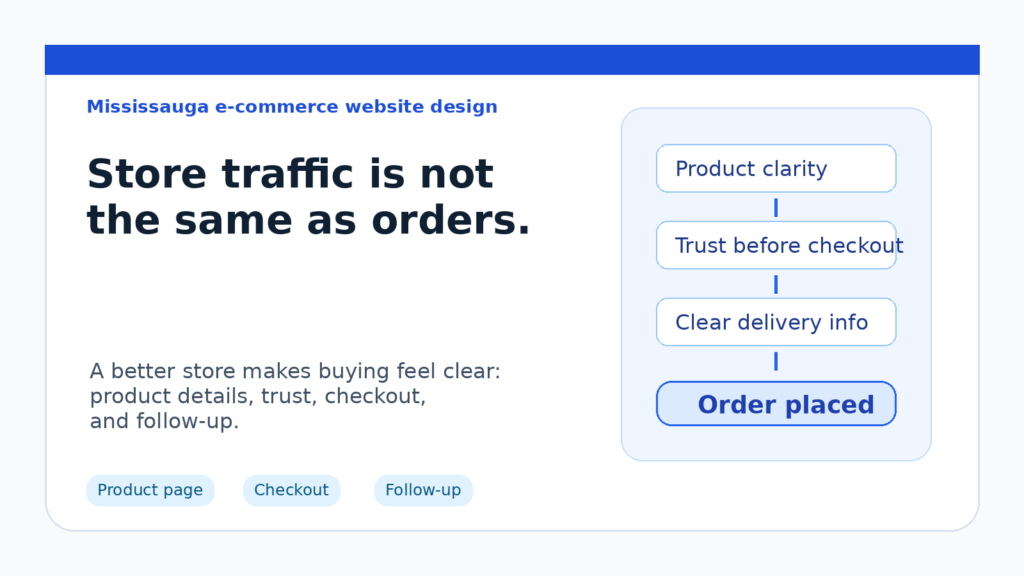
# E-commerce Website Design in Mississauga: Why Store Traffic Still Does Not Turn Into Orders
E-commerce website design Mississauga is not only about launching an online store. For a local retailer, product seller, or service business adding online sales, the real question is whether visitors can trust the store, understand the product, finish checkout, and know what happens after they order.
Many online stores get some traffic but still struggle with orders. The problem is not always advertising, price, or product demand. Sometimes the website creates just enough uncertainty that shoppers leave before buying.
For iCloudMount’s current SEO recovery work, this topic supports the commercial website-design cluster without pushing broad SEO-service content. Mississauga already shows local website-design and e-commerce intent in search data, so the practical goal is clear: make the store easier to trust, easier to buy from, and easier to manage after the order.
Table of contents
- E-commerce website design Mississauga starts with buyer confidence
- Why store visitors leave without ordering
- The product page has to answer the buying question
- Trust signals matter before checkout
- Checkout should feel boring, clear, and safe
- Local stores need practical operations behind the website
- What Mississauga e-commerce businesses should improve first
- FAQ
E-commerce website design Mississauga starts with buyer confidence
A shopper does not need a perfect website. They need enough confidence to keep going.
That confidence is built through practical details:
- the product is easy to understand;
- pricing, delivery, pickup, or service area details are clear;
- the store looks current and maintained;
- policies are not hidden;
- checkout steps feel safe;
- contact information is easy to find;
- the buyer knows what happens after placing an order.
Good e-commerce website design should reduce hesitation at each of those points. The store should not only display products. It should help people decide.
Why store visitors leave without ordering
When an online store gets visits but weak sales, the first reaction is often to blame traffic quality. Sometimes that is fair. But before spending more on ads, it is worth checking whether the store itself is creating friction.
Common problems include:
- Product pages that describe features but not buying reasons.
- Weak photos, unclear options, or missing sizing/spec details.
- Delivery, pickup, shipping, or service-area information that appears too late.
- No clear reason to trust the business before checkout.
- A cart or checkout flow that feels longer than expected.
- Missing confirmation about what happens after payment.
- No simple follow-up process for abandoned carts, quote questions, or support requests.
These are not cosmetic issues. They directly affect whether a visitor becomes a customer.
The product page has to answer the buying question
A strong product page answers the shopper’s real question:
“Is this the right choice for me, and do I feel safe buying it here?”
That means the page needs more than a title, price, image, and Add to Cart button. Depending on the product or business, it may need:
- practical use cases;
- dimensions, materials, compatibility, or included items;
- service-area or pickup information;
- delivery timelines;
- return or exchange details;
- comparison notes;
- FAQs near the buying section;
- clear support/contact options.
For businesses already improving their Mississauga website design, e-commerce pages should be treated as conversion pages, not just catalogue pages.
Trust signals matter before checkout
Trust should not be hidden in a footer or separate About page.
Before someone pays, they may want to know whether the business is real, reachable, organized, and likely to handle the order properly. Useful trust signals can include:
- clear business contact details;
- local service-area or pickup notes;
- secure payment cues;
- realistic product photos;
- policies written in plain language;
- relevant project or customer context;
- simple explanations of fulfillment and support.
This is where local website trust signals become practical. They are not only for service pages. E-commerce stores also need visible signals that make the buying decision feel safer.
Google’s guidance on creating helpful, reliable content is useful here too. Store content should help a real buyer make a decision, not only repeat product keywords.
Checkout should feel boring, clear, and safe
Checkout is not the place to surprise people.
A stronger e-commerce checkout should make the buyer feel that each step is expected and controlled. That usually means:
- showing shipping, pickup, tax, or delivery details clearly;
- avoiding unnecessary form fields;
- keeping payment options understandable;
- displaying order totals before payment;
- confirming what happens after purchase;
- making support easy to find if something goes wrong.
Some stores lose orders because the checkout technically works but feels uncertain. If the buyer suddenly sees unexpected costs, unclear shipping timing, or no support path, they may abandon the cart.
Local stores need practical operations behind the website
A store website does not end at checkout.
After an order, the business still needs to handle inventory, notifications, fulfillment, customer questions, returns, and repeat purchase opportunities. For a small team, this can quickly become messy if the website is disconnected from the rest of the business.
That is where business integrations and workflow automation can support e-commerce design. Practical improvements may include:
- order notifications;
- CRM or customer list syncing;
- inventory or fulfillment workflows;
- automated confirmation emails;
- abandoned-cart reminders;
- quote or custom-order request handling;
- basic reporting for product and inquiry trends.
The goal is not to make the system complicated. The goal is to make sure orders and customer questions do not fall through the cracks.
What Mississauga e-commerce businesses should improve first
If your store gets visitors but not enough orders, start with the points closest to the buying decision.
1. Clarify the offer on product pages
Make sure product pages explain who the product is for, what is included, how it is used, and why someone should buy it from your store.
2. Put delivery and pickup details earlier
For local buyers, shipping, pickup, delivery area, or service timing can affect the purchase decision. Do not make people search for it.
3. Add trust near the buying section
Place relevant trust signals, policy notes, support details, or local business context close to Add to Cart and checkout steps.
4. Reduce checkout friction
Remove unnecessary fields, clarify costs, and make the final order step feel safe and predictable.
5. Explain what happens after purchase
Use plain language. Tell buyers when they will receive confirmation, how pickup or delivery works, and how to contact support.
6. Connect the store to follow-up
Make sure the website supports the real business process: notifications, fulfillment, customer records, custom requests, or repeat-purchase follow-up.
The practical takeaway
E-commerce website design Mississauga should be judged by more than whether the store is online. A good online store helps shoppers understand the product, trust the business, complete checkout, and feel confident after purchase.
If your store gets traffic but weak orders, the issue may be product-page clarity, local trust, checkout friction, delivery information, or disconnected follow-up.
iCloudMount can help local businesses plan or improve e-commerce websites that support real sales and daily operations. Start with E-commerce Website Design, or review the broader Website Design Services page for local service and retail website planning.
Book a practical e-commerce website review to find where shoppers may be dropping off before they buy.
FAQ
What does e-commerce website design Mississauga include?
E-commerce website design Mississauga includes planning and building online store pages, product pages, checkout flows, trust signals, payment paths, delivery or pickup details, and follow-up workflows for Mississauga and GTA businesses.
Why does my online store get traffic but few orders?
Your online store may get traffic but few orders if product pages are unclear, trust signals are weak, delivery details appear too late, checkout feels uncertain, or buyers do not understand what happens after purchase.
Should a local e-commerce store show service-area or pickup information?
Yes. If pickup, delivery, local service area, or fulfillment timing affects the buying decision, it should be visible before checkout so shoppers do not have to guess.
Does e-commerce website design affect abandoned carts?
Yes. Clear product information, visible costs, fewer form fields, safer checkout cues, and better follow-up can reduce hesitation and abandoned carts.
What should I fix first on an e-commerce website?
Start with product-page clarity, delivery or pickup details, trust signals near the buying section, checkout friction, and post-purchase follow-up. Those areas are closest to the buying decision.