
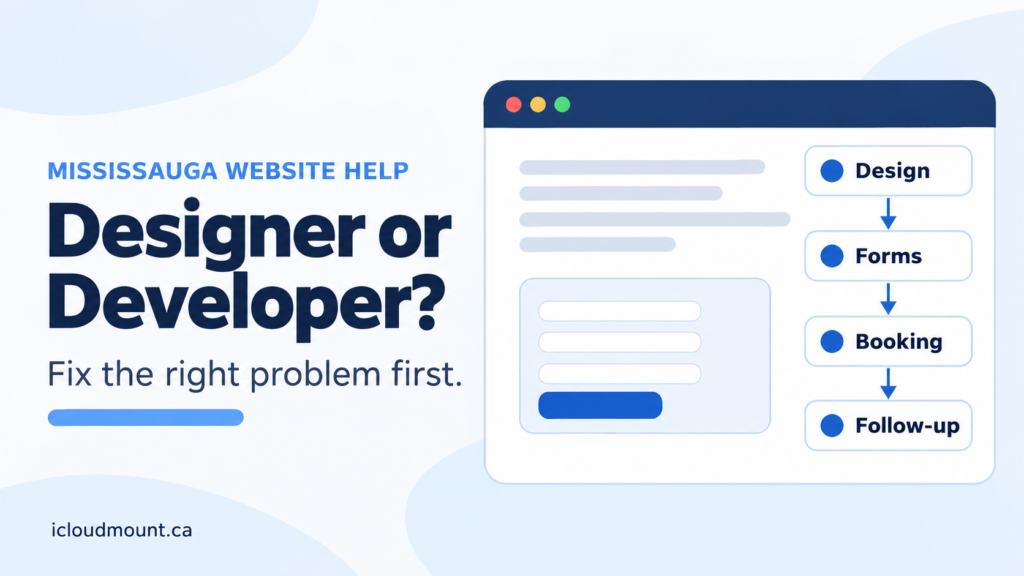
Choosing a website developer in Mississauga starts with a practical question: what is stopping your website from doing its job? A page that is hard to understand needs a different fix from a booking form that never reaches your inbox.
You may need design, development or both. You do not automatically need a complete rebuild. This guide helps you identify the problem, define a useful project scope and compare proposals without paying for work that misses the point.
For the services behind that decision, see our Mississauga website design page. This article is a hiring checklist—not a promise that a redesign alone will generate leads.
In this guide
- Designer or developer: a quick comparison
- 5 checks before hiring a website developer in Mississauga
- Repair or rebuild? A practical example
- What to include in your project brief
- How to judge the work after launch
- Frequently asked questions
Designer or developer: a quick comparison
A designer typically shapes how visitors understand and use a page: layout, visual hierarchy, readable content and clear next steps. A developer typically builds and maintains how the site works: forms, booking, integrations, performance and technical reliability. Responsibilities overlap, so ask what a provider actually delivers rather than relying on the job title.
| Problem | Likely starting point | Ask for |
|---|---|---|
| Visitors cannot understand the offer | Design and content | Clear service hierarchy and a usable mobile layout |
| Forms or booking do not work reliably | Development | End-to-end tests and reliable notifications |
| Inquiries get lost between systems | Integration and process | A defined routing and follow-up workflow |
| Several of these problems overlap | Combined scope | One coordinated plan with acceptance criteria |
Our website design services can bring these pieces together. The useful scope is the smallest coherent set of changes that addresses the problem—not a list of features added because competitors have them.
5 checks before hiring a website developer in Mississauga
1. Can a new visitor understand your service?
Open the main service page on your phone. Without scrolling far, can you tell what the business offers, who it helps and whether it serves your location? If the headline could describe almost any company, start with content and page structure.
A Mississauga service business should explain its actual service area. Mention Oakville, Milton, Burlington or the wider GTA only where those areas genuinely apply. A long list of city names cannot replace a clear explanation of the service.
2. Does the main action work from beginning to end?
Submit a clearly labelled test inquiry using a real email address you control. Check required fields, validation messages, the confirmation screen and delivery to the correct inbox. If appointments are involved, check availability, time zones and confirmation messages too.
Record the exact failure. “The mobile form accepts a submission but no notification arrives” is much more useful than “the website does not convert.” Avoid sending sensitive customer information during testing.
If appointments are central to your business, review booking website design rather than treating a calendar widget as the whole solution. Staff still need a workable process for confirmations, changes and cancellations.
3. Is the mobile experience usable?
Check the page on an actual phone, not only a desktop preview. Look for cut-off headings, buttons that are difficult to tap, intrusive overlays and form fields that are hard to complete. Ask someone unfamiliar with the site to find the next step without coaching.
A slow page may need image optimization, hosting work or a technical repair; it does not automatically need a new visual design. Ask the provider to explain the cause and the proposed fix before accepting a rebuild recommendation.
4. Who receives the inquiry and follows up?
A successful form submission is not the end of the process. Decide who receives it, what information they need and how they track a reply. Where an existing CRM or shared workflow is involved, business integrations may remove manual copying or routing gaps.
Keep the first version proportionate. One reliable notification and a named owner may be enough. More automation is worthwhile only when the volume and process justify it.
5. Who can update the website after launch?
Ask who owns the domain, hosting account, website files and third-party subscriptions. Confirm whether you can update service descriptions, hours and images yourself, and whether training is included.
A proposal should separate the initial build from ongoing maintenance, licence renewals and future changes. Get these responsibilities in writing. A site that looks good at launch but is difficult to maintain can become an avoidable operational problem.
Repair or rebuild? A practical example
Consider a hypothetical Mississauga practitioner whose service pages are clear and readable, but whose appointment-request emails arrive unreliably. A reasonable first scope could be to diagnose delivery, repair the form, improve the confirmation message and test the full handoff. Replacing every page would not necessarily solve that problem better.
Now consider a site where visitors cannot tell which services are offered, mobile pages are difficult to use and the booking process is disconnected. A coordinated design-and-development project may make more sense because the problems affect several stages of the customer journey.
These are examples, not client results. The decision depends on what can be retained, the reliability of the existing platform and the cost of maintaining separate fixes. Ask for both a repair option and a rebuild rationale where either could be reasonable.
What to include in your project brief
Give a prospective designer or developer enough information to recommend a scope:
- Your current website URL and the service page that matters most.
- One primary business goal, such as receiving better-qualified consultation requests.
- The specific problem you have observed, with an example or screenshot where useful.
- Required functions, such as appointment requests, payments or CRM routing.
- Existing systems that must remain, and any access or ownership constraints.
- Your budget range, timing and the person who will approve content.
Also identify what is already working. Real testimonials, useful service descriptions and effective pages should not disappear simply because the site is being redesigned. Our guide to local website trust signals explains what can help a buyer feel comfortable making contact.
Compare proposals by deliverables and acceptance criteria. “Form tested on mobile and desktop, confirmation displayed, notification received” is more reviewable than “conversion-optimized website.” Ask what is excluded and what happens if a required integration cannot work as expected.
How to judge the work after launch
Agree on technical checks first: working links, usable forms, mobile layouts, correct contact details and reliable inquiry delivery. If URLs change, include a redirect plan and check that important pages remain accessible to search engines.
Then measure business outcomes. Google Analytics can record important actions as key events, but the setup must distinguish a button click from a completed inquiry. Test the event before relying on a report, and compare recorded activity with actual inquiries received.
Search Console can help track search queries, clicks and page visibility. A new article or improved service page is not a ranking guarantee. Look at comparable periods and qualified inquiries together rather than judging the project by page views alone.
Frequently asked questions
Do I need a website designer or a website developer in Mississauga?
Start with the problem. Unclear page structure and difficult navigation often call for design and content work. Broken forms, booking logic and system connections call for development. When the issues overlap, choose a provider who can coordinate both and explain the scope clearly.
Can I keep my current website and add booking?
Often, yes. The right approach depends on your platform, booking requirements and existing customer process. Check availability rules, notifications, mobile usability and ongoing fees before choosing a tool. A full rebuild should have a specific justification.
Does a new website automatically improve local rankings?
No. Clear service information, relevant content and technical accessibility can support local visibility, but rankings also depend on competition and other signals. Keep the service page useful to buyers and measure search performance without treating a plugin score as a result.
What should I send when asking for a quote?
Send your current URL, the main problem you want fixed and the action you want visitors to take. Include essential integrations and your timing. That gives the provider a basis for recommending a repair, a focused improvement or a larger rebuild.
Get a scope that fits the problem
If your Mississauga business needs website help, send iCloudMount your website URL and the form, booking or service-page problem you want fixed. We can discuss what needs design work, what needs development and what may be worth keeping.
You can also review our Mississauga website design services before getting in touch.