
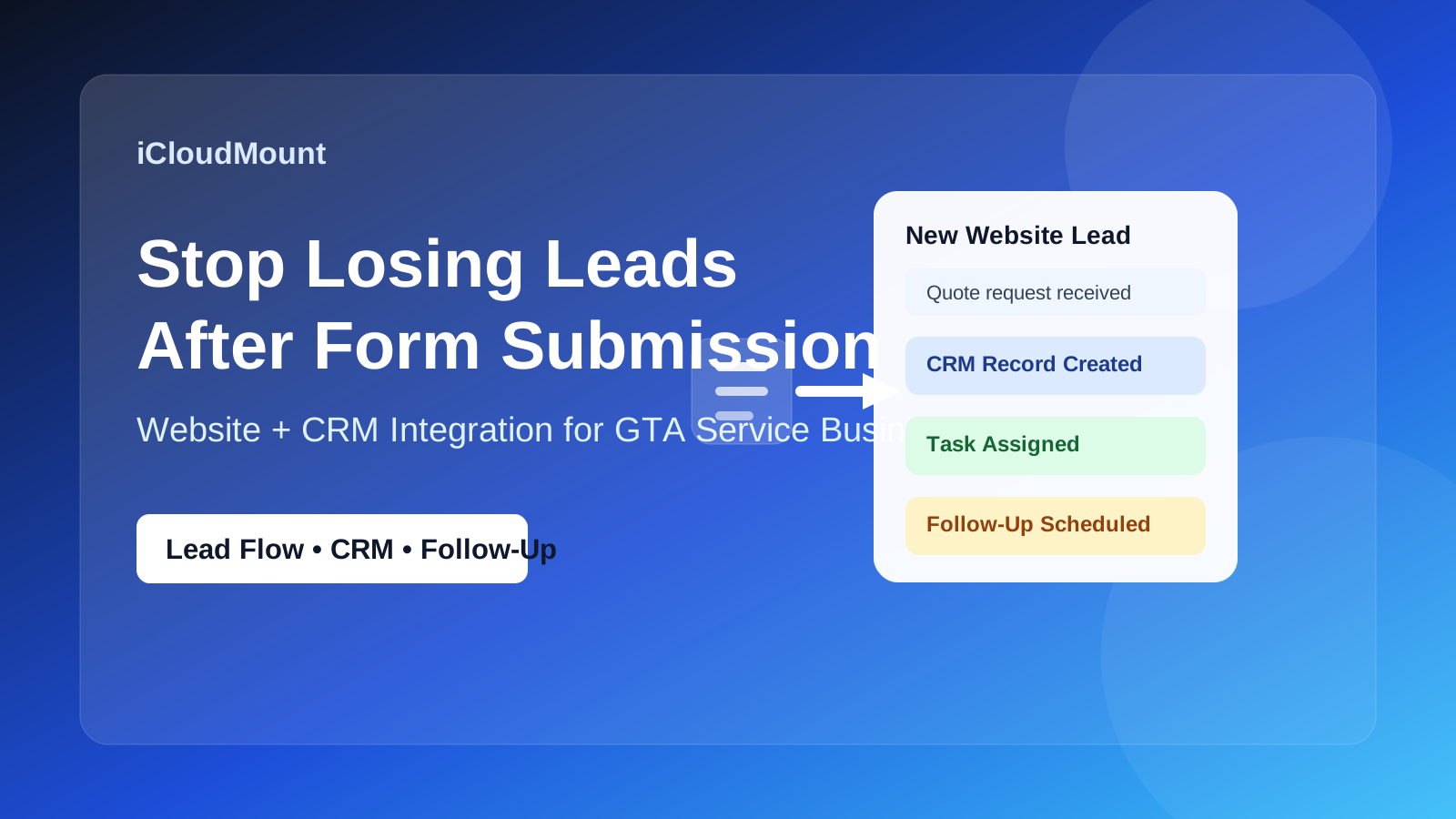
Website and CRM integration for GTA service businesses can solve a costly problem: leads come in, but the follow-up breaks down before they become real conversations, bookings, or customers.
Some of those websites look clean, explain the service well, and even generate inquiries. But many businesses still run into the same frustrating problem: leads come in, then the follow-up breaks down.
A form gets submitted and sits too long. A quote request lands in the wrong inbox. A consultation request is answered late. A potential customer books interest, but no one follows up properly.
That is where website and CRM integration starts to matter.
For service businesses in Mississauga, Oakville, Milton, Burlington, and the wider GTA, a website should not only collect leads. It should help move them into a consistent follow-up process. If your website and CRM are disconnected, it becomes much easier to lose opportunities that were already halfway won.
What Website and CRM Integration Means for GTA Service Businesses
Why Website and CRM Integration for GTA Service Businesses Improves SEO and Conversions
For many local companies, local SEO brings the visitor in, but website and CRM integration helps the business respond faster, track leads properly, and move the inquiry toward a sale.
If your current website collects inquiries but your team still manages follow-up manually, the gap is often in the system behind the site rather than the site alone.
Website and CRM integration means your website is connected to the system you use to manage leads, inquiries, appointments, and customer communication.
Depending on the business, that can include:
- contact forms that create CRM records automatically
- quote requests routed to the right pipeline
- consultation requests tied to follow-up tasks
- lead-source tracking
- automatic confirmations or reminders
- intake forms connected to the sales process
- website actions that trigger internal alerts or workflows
Without this connection, your website may still generate interest, but your business is left handling every next step manually.
Why Manual Follow-Up Starts to Break at Scale
Many smaller businesses begin with a simple setup.
A visitor fills out a form. An email arrives. Someone reads it when they have time. Then they reply manually, maybe copy the lead into a spreadsheet, maybe forget to, maybe follow up later.
That may work when lead volume is very low.
But once your business depends on a steady flow of inquiries, manual handling starts creating problems:
- slow response times
- missed messages
- inconsistent follow-up
- poor visibility into lead status
- weak reporting on what the website is actually producing
In competitive local markets, speed and consistency matter. If two businesses offer similar services, the one that follows up faster and more clearly often wins the customer.
1. Better Response Speed for New Leads
One of the biggest benefits of CRM integration is faster response.
When a website form is connected properly, your business can:
- send instant confirmation emails
- notify the right team member immediately
- assign follow-up tasks automatically
- trigger reminders if no one replies in time
That matters because many leads cool off quickly.
A visitor who reaches out to three businesses may hire the one that responds first with a clear next step. If your website captures the lead but your internal process is slow, your marketing is doing work your operations are wasting.
2. Fewer Leads Falling Through the Cracks
A disconnected website often creates invisible lead loss.
The business may assume the website is underperforming, when in reality the problem happens after the submission.
Common failure points include:
- form notifications going to spam
- inbox overload
- no ownership for follow-up
- no central lead record
- no reminder to contact the person again
CRM integration helps reduce these gaps by keeping inquiries in one trackable system.
That means your business is less dependent on memory, inbox habits, or one person remembering to do the next step.
3. A More Professional Customer Experience
The customer experience does not end when someone clicks Submit.
If the next step feels slow, confusing, or inconsistent, that hurts trust.
A more connected setup can improve the experience through:
- immediate confirmation messages
- clear expectations about what happens next
- cleaner intake workflows
- better appointment coordination
- more reliable follow-up timing
For service businesses, professionalism is often judged in small moments. A smoother response process makes your business feel more organized and easier to work with.
4. Better Visibility Into Which Website Leads Turn Into Real Business
A website alone can tell you traffic numbers and form submissions.
A CRM can help you understand which of those leads actually become consultations, jobs, customers, or recurring accounts.
That matters for smarter decision-making.
With proper website and CRM integration, a business can start answering questions like:
- Which service pages bring in better leads?
- Which form types convert best?
- Which local campaigns generate qualified inquiries?
- How quickly are leads being contacted?
- Where are deals getting stuck?
Without that visibility, it becomes harder to improve your website strategy based on real business outcomes.
5. Stronger Support for Appointment and Quote-Based Businesses
Many service businesses in the GTA rely on consultations, estimates, booking requests, or sales conversations.
That means the website is only the start of the conversion path.
If your business depends on:
- appointments
- quote requests
- consultations
- intake calls
- custom proposal workflows
then a disconnected website can create friction immediately after the lead arrives.
Integration helps bridge that gap, especially for businesses that rely on bookings and consultations.
For example, a lead can be:
- captured through a service-specific form
- sent into the correct CRM pipeline
- tagged by service or location
- assigned for follow-up
- tied to reminders or nurture steps
That kind of structure can improve both close rates and internal efficiency.
6. Local SEO and Conversion Work Better Together When Systems Connect
A lot of businesses think about local SEO and CRM as separate topics.
They are not.
Local SEO helps qualified people find your business. CRM integration helps your team handle those opportunities better after they arrive.
A strong local lead-generation system usually needs both:
- service pages that match search intent
- clear calls to action
- fast mobile forms
- trust-building content
- follow-up workflows behind the scenes
If your website ranks but your lead handling is messy, the system is incomplete.
When a GTA Service Business Should Consider Website and CRM Integration
This usually becomes worth prioritizing when:
- you are getting leads but not enough closed business
- follow-up feels inconsistent
- multiple people handle inquiries
- you rely on consultations or quotes
- you want better visibility into lead sources
- your business is growing beyond basic inbox management
For businesses in Mississauga, Oakville, Milton, Burlington, and the broader GTA, this is often the point where a website stops being just a marketing asset and becomes part of a real sales process.
Final Thoughts on Website and CRM Integration for GTA Service Businesses
A website can bring in traffic and inquiries, but that does not guarantee a reliable lead pipeline.
If your forms, booking requests, and consultation inquiries are not connected to a clear follow-up system, your business may be losing leads after the hardest part is already done.
Website and CRM integration helps service businesses:
- respond faster
- reduce missed leads
- improve customer experience
- track lead quality better
- support appointments, consultations, and quote workflows more effectively
For many GTA service businesses, that is the difference between a website that simply collects inquiries and a website that actually supports growth.
Need a website that does more than just collect form submissions? iCloudMount helps GTA service businesses improve website design, lead flow, CRM integration, and local SEO so more inquiries turn into real business. Explore our Automation & Integrations service, see our website services, or contact us. See our Automation & Integrations service, contact us, or book a consultation.
Frequently Asked Questions
What does website and CRM integration for GTA service businesses actually improve?
It improves response speed, lead tracking, follow-up consistency, and visibility into which website inquiries turn into real business.
What is website and CRM integration?
It means your website is connected to your lead-management or customer-management system so inquiries can be tracked, assigned, and followed up more consistently.
Why does CRM integration matter for service businesses?
Because many service businesses depend on fast follow-up for consultations, quote requests, and bookings. If that process is manual, leads are easier to miss.
Can CRM integration improve conversion rates?
Yes. Faster response times, clearer workflows, and fewer missed follow-ups can all improve the chance that a website lead becomes a paying customer.
Is CRM integration only for large businesses?
No. Even smaller local businesses can benefit if they are handling regular inquiries, quote requests, or appointment-based leads.
How does CRM integration connect with local SEO?
Local SEO helps the right people find your business. CRM integration helps your business handle those leads better once they arrive.
For reference, even Google Business Profile guidance and common CRM best practices support faster responses, clearer lead handling, and more consistent follow-up.