
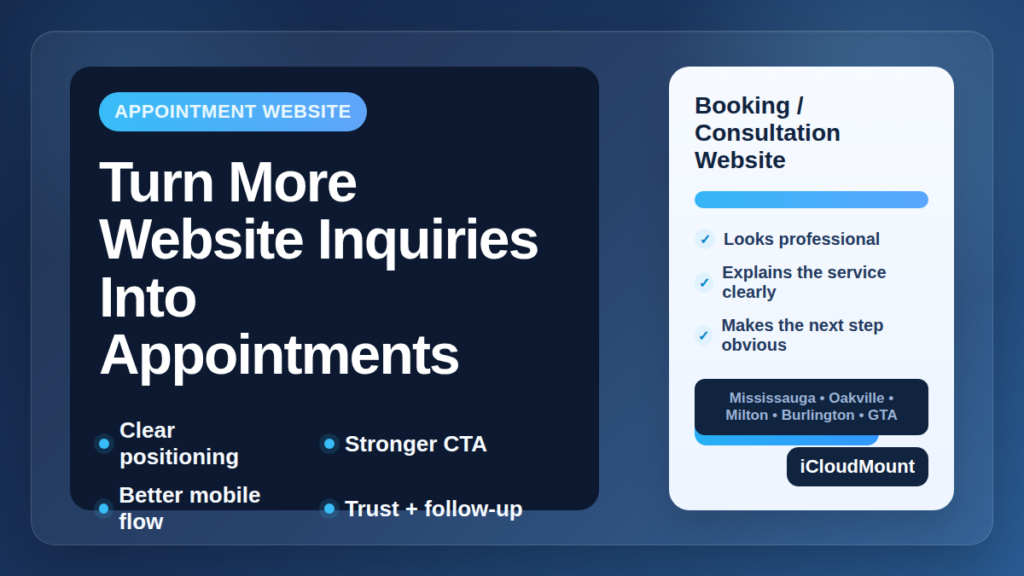
A lot of businesses in the Greater Toronto Area already have a website that brings in inquiries.
People fill out a form. They ask for more details. They request a quote. They click through service pages and show clear interest.
But interest is not the same as action.
For many GTA businesses, the real problem is not getting website inquiries. The problem is turning those inquiries into actual appointments, consultations, or qualified next-step conversations.
If your website is generating traffic and even some leads, but too few of those leads become booked calls or confirmed appointments, the issue may be in the conversion path itself.
Table of Contents
- Website inquiries into appointments: where businesses lose momentum
- 1. Make the next step obvious
- 2. Match the CTA to the real buying process
- 3. Reduce friction in the booking or inquiry flow
- 4. Build trust before asking for the booking
- 5. Make mobile booking easier
- 6. Use service pages that match search intent
- 7. Improve the follow-up after the inquiry comes in
- 8. Support local SEO without making the copy feel forced
Website Inquiries Into Appointments: Where Businesses Lose Momentum
A lot of websites look fine on the surface.
They may have:
- a clean layout
- a service list
- a contact form
- decent mobile design
- some steady traffic from local search
But if the path from inquiry to appointment feels unclear, slow, or inconvenient, a large share of those leads never move forward.
That usually happens because of friction in one or more of these areas:
- unclear positioning
- weak calls to action
- too many steps before booking
- poor mobile experience
- missing trust signals
- slow or inconsistent follow-up
For businesses in Mississauga, Oakville, Milton, Burlington, and the wider GTA, fixing these conversion issues can often create better results than simply chasing more traffic.
1. Make the Next Step Obvious
One of the biggest reasons website inquiries do not turn into appointments is that the next action is too vague.
A visitor may be interested, but the website does not make it clear whether they should:
- book now
- request a consultation
- call
- fill out a quote form
- send a message first
When people are unsure what to do next, many leave and compare another provider.
Your website should guide visitors clearly. The primary action should be visible early and repeated naturally throughout the page.
For example, if your business depends on consultations, your site should say that directly and make scheduling easy. If your process starts with a quote request, the page should support that clearly instead of making people guess.
2. Match the CTA to the Real Buying Process
A lot of websites use generic buttons like “Contact Us” everywhere.
That is not always enough.
A stronger approach is to match the CTA to how customers actually move forward. Depending on the business, that could mean:
- Book a Consultation
- Request a Quote
- Schedule an Appointment
- Check Availability
- Start Your Project
A more specific CTA gives visitors confidence. It feels more concrete, more relevant, and easier to act on.
This is especially important for appointment-based businesses where the website is supposed to move people into a booking or consultation flow, not just collect vague messages.
3. Reduce Friction in the Booking or Inquiry Flow
If the form is too long, the booking page is confusing, or mobile users have to do too much work, conversion drops.
Common problems include:
- too many required form fields
- no clear timeline for response
- awkward booking tools
- pages that load slowly on mobile
- a process that asks for too much before trust is built
Most people do not want to fight through a website just to ask a simple question or request an appointment.
The path should feel light and predictable.
In many cases, businesses get better results by shortening forms, clarifying the process, and reducing the number of decisions a visitor has to make before the first appointment is set.
4. Build Trust Before Asking for the Booking
A visitor is more likely to book when they feel confident about who they are dealing with.
That confidence often comes from simple trust signals such as:
- testimonials
- Google reviews
- project examples
- photos of the business or team
- a clear explanation of how the process works
- FAQs
- visible contact information
Without these signals, the booking step can feel premature.
If your website asks people to commit before they feel reassured, many will hesitate. That hesitation is often where inquiries stop short of becoming appointments.
5. Make Mobile Booking Easier
A large share of local traffic comes from phones.
Someone may find your business while commuting, during lunch, after work, or while comparing providers quickly. If the mobile version of the site creates friction, those visitors often disappear before taking the next step.
Watch for issues like:
- buttons that are hard to tap
- text that is too dense
- forms that feel tedious on mobile
- booking widgets that do not fit properly
- contact options that are buried too far down the page
If your business depends on appointments, mobile usability is not a small detail. It directly affects how many website inquiries turn into real booked conversations.
6. Use Service Pages That Match Search Intent
If all your services are crammed onto one broad page, visitors may land on the site without seeing a direct fit for what they need.
That weakens both SEO and conversion.
A better approach is to use focused service pages that align with real search intent. For example:
- consultation services
- appointment booking pages
- specific service categories
- location-related service pages where relevant
- support pages for related services like local SEO or business integrations
This helps searchers land on a page that feels more relevant from the start, which makes them more likely to continue toward an appointment.
According to Google’s own SEO guidance, useful content that closely matches search intent tends to create a better user experience and better long-term performance: Google helpful content guidance.
Related service pages worth exploring include Website Services, Book Services, Business Integrations, and SEO Services.
7. Improve the Follow-Up After the Inquiry Comes In
A website should not stop working the moment someone clicks Submit.
If your team replies slowly, misses messages, or handles inquiries inconsistently, the website may appear to underperform even when the real issue is after the form submission.
That is why follow-up systems matter.
Useful improvements can include:
- instant confirmation emails
- internal notifications
- booking reminders
- CRM integration
- lead assignment
- intake forms tied to appointments
- better visibility into response speed
For many GTA businesses, improving follow-up turns an average-performing website into a much better appointment-generating system.
8. Support Local SEO Without Making the Copy Feel Forced
Your website still needs qualified traffic.
For local businesses, local SEO helps bring in people who are already searching for services nearby. But the page still needs to convert once they arrive.
That means your site should include:
- clear headlines
- useful page structure
- natural service-area references
- internal links to related pages
- fast and mobile-friendly performance
- content that sounds normal, not stuffed
If your business serves Mississauga, Oakville, Milton, Burlington, or the broader GTA, that should be clear in a natural way. The goal is not to repeat city names mechanically. The goal is to make the page relevant and easy to trust.
Final Thoughts
A lot of GTA businesses do not need more website inquiries.
They need to turn more of the inquiries they already get into real appointments.
That usually comes down to improving:
- clarity
- calls to action
- mobile experience
- trust signals
- service-page focus
- follow-up systems
- local SEO structure
When those pieces work together, your website becomes more than an online brochure. It becomes a tool that helps turn attention into booked conversations.
If your business is getting inquiries but not enough appointments, iCloudMount can help improve your website structure, booking flow, local SEO, and business integrations so more visitors take the next step.
Frequently Asked Questions
Why are website inquiries not turning into appointments?
Usually because the next step is unclear, the CTA is weak, the booking flow has too much friction, or follow-up is too slow.
How can a business get more appointments from its website?
By improving messaging, using stronger calls to action, reducing booking friction, adding trust signals, and following up more consistently.
Does mobile design affect appointment bookings?
Yes. Many local visitors browse on their phone first. If the mobile experience is inconvenient, conversion rates often drop.
Should appointment-based businesses use dedicated service pages?
Yes. Focused pages improve both SEO and conversion because they match search intent more closely.
Can CRM or follow-up systems help turn more inquiries into appointments?
Yes. Better confirmations, reminders, internal notifications, and lead tracking can reduce drop-off after a visitor reaches out.